


Panda Express
4.626.31K Reviews
App Specs
- Version
- 7.6.3
- Updated On
- License
- Free
- Downloads
- 5,000,000+
- Developer
- Panda Restaurant Group, Inc.
- Categories
- Food & Drink
- Platform
- Android, iOS
Screenshots
 Analysis by AppCompare
I’d look at the Panda Express app as a convenient way to plan a meal from this particular restaurant, rather than as a general food-delivery app. If you already know what you like, it can make a repeat order feel straightforward; if you’re new to the menu, it gives you a place to browse before deciding. My main advice for a first-time user is to take a moment to choose the right restaurant and order method before building a meal, so the first attempt ends with a clear pickup or delivery plan.
What to expect from a restaurant-specific app
Panda Express is a free Food & Drink app from Panda Restaurant Group, Inc. It has a 4.6 average from around 61,000 ratings, and over 5 million installs. Those figures suggest it has a substantial audience, though they don’t tell you whether a particular location, menu item, or delivery experience will suit you. The app is rated for Everyone, and its core appeal is practical: browse Panda Express food, place an order, and use the rewards experience in the same place.
That focus is also its main limitation. A restaurant’s own app can be more useful than a broad delivery service when you want to order directly from that restaurant and keep your choices in one familiar place. It is less helpful if you are comparing several nearby restaurants, trying to find the cheapest meal across different cuisines, or hoping to manage every takeout order in one app. I’d install it for regular Panda Express visits, not as a replacement for a general-purpose food app.
The app’s history goes back to August 20, 2014, and the current version is 7.3.8. It requires iOS or Android 7.0 or later, so it is intended for a broad range of devices, although an older phone may still feel slower in everyday use. I like that the basic proposition is easy to understand: it is a direct route to one chain’s menu and ordering flow, rather than a directory of restaurants that happens to include Panda Express.
Getting ready for a first order
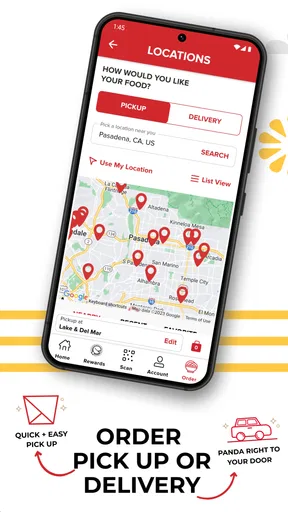
On your first visit, start by browsing rather than rushing straight to checkout. Look through the menu and decide whether you want a familiar favorite or a meal you have not tried before. Then choose the restaurant and the ordering method that fit your plans. This order of operations matters: a pickup plan and a delivery plan are not interchangeable, and checking the location first helps avoid spending time assembling a meal for the wrong restaurant.
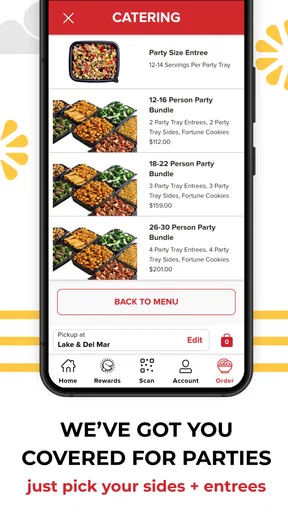
If you are ordering for other people, settle the group’s choices before you customize anything. A useful low-stress workflow is to ask each person what they want, add the items one at a time, and review the basket as a group before placing the order. That gives you a chance to catch a missed side or an unintended change without turning the checkout screen into a last-minute negotiation. For a solo lunch, the same habit is simpler: browse, choose, review, then submit.
First-time users often wonder whether they must create an account before they can get value from the app. The useful distinction is between exploring and making the most of repeat visits: you can begin by learning the menu and seeing how the order flow is organized, while rewards are most relevant if you plan to return and want to keep track of the loyalty side. I’d avoid treating enrollment as the first task. First confirm that the app is useful for your location and routine; then decide whether the rewards features are worth setting up for you.
Worth Reading Before You Choose

EA SPORTS FC Mobile 26 Is a Bigger Football Game, but It Takes Time

Flipboard Shows What News Apps Must Do Beyond the Feed

Switching to Android Auto Means Rethinking Your Driving Routine

Google Calendar Makes a Crowded Week Easier to Manage

Ludo King Makes the Most of the Minutes Between Plans

Baby Panda World Brings Quick Play to Modern Phones, but Its Game Library Feels Busy
Making the first successful order
A good first test is a simple meal at a time when you are not in a hurry. Pick a restaurant you can realistically use, select pickup or delivery, and choose only what you already know you want. Before confirming, read the order summary carefully. This final check is especially worthwhile when ordering for more than one person, since a quick review can catch a missing item or a customization that does not match what someone asked for.
For example, imagine you have a short lunch break and want to collect food on the way back to work. You can browse the menu before leaving, put together the meal, choose pickup, and check the estimate before you commit. That is a more useful test than placing an order in a rush from the parking lot: you have time to verify the location, decide whether the timing works, and avoid having to revise the order while distracted. If the estimate does not fit your break, you can make another plan rather than relying on wishful timing.
The app’s pickup and delivery choices are helpful, but convenience depends on your circumstances. Pickup gives you more control over the final leg of the trip if you are already nearby; delivery can spare you the trip when you are at home or occupied, but adds another step between ordering and eating. I would choose based on the day rather than assuming one option is always better. If timing matters, check the estimate before placing the order and leave enough room for ordinary delays.
One practical tip is to use the app as a planning tool even when you are not ready to order. Looking at the menu ahead of time helps when you are coordinating a group or deciding what to pick up after work. It also reduces the pressure to make a choice while hungry. For a first order, familiar items are a sensible way to test the location and ordering process; once that goes smoothly, trying a new combination is a lower-risk next step.
Rewards, customization, and useful trade-offs
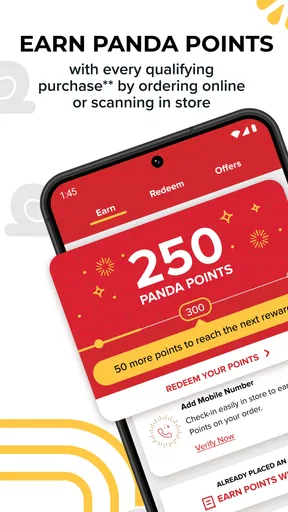
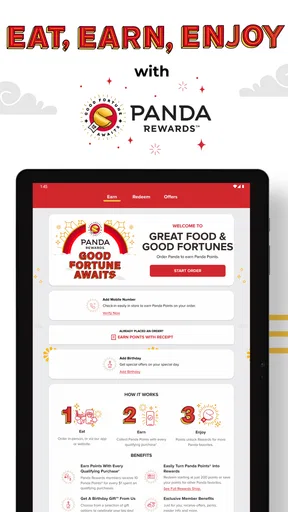
The rewards system is a reason to use the app repeatedly, but I would think of it as a bonus rather than the sole reason to install it. The app describes a points-based experience, with rewards that can include entrees or sides, as well as offers and promotions. If you visit occasionally, the ordering convenience may matter more than collecting points. If Panda Express is already part of your routine, checking the rewards area before you order can help you notice whether there is something relevant to that visit.
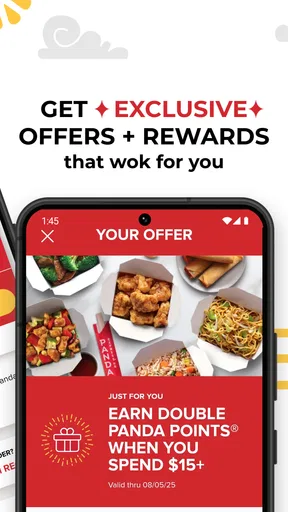
A small but useful habit is to check available offers before settling on a meal, not after. An offer may influence what you choose, but it should not push you into buying food you did not want in the first place. I treat rewards as a way to get more from a visit I had already planned, not as a reason to make an unnecessary order. That keeps the loyalty feature in perspective and makes it easier to judge whether it is genuinely useful for your habits.
Customization is handy when you have a clear preference, and the original ordering experience describes options such as adjusting portions or adding vegetables. Still, it is worth reviewing each item after making changes. When you are ordering for a group, customization can make separate meals easier to distinguish, but too many edits can also make the basket harder to check at a glance. I’d keep changes intentional and use the order summary as a final safeguard.
Nutritional information can help you compare choices if that is part of how you decide what to eat. I would use it as a reference while browsing rather than assume that seeing nutrition details automatically makes a meal fit a particular diet. For allergies or strict dietary needs, take extra care and verify that a dish is appropriate before ordering; an app screen should not replace the careful checks a specific health requirement calls for.
Where the experience can be less convenient
The biggest trade-off is that this app is tied to one restaurant brand. It is a good fit when Panda Express is already your destination, but it cannot offer the broad comparison of a multi-restaurant service. If your priority is to see several cuisines, compare different restaurants, or consolidate orders from different places, a general delivery app is likely the better starting point. If your priority is choosing from Panda Express and using its own ordering and rewards experience, the dedicated app makes more sense.
There is also a difference between an easy interface and a guaranteed smooth meal. The app can organize your choices, but the practical result still depends on the restaurant, the selected method, and whether the estimate suits your schedule. I would not plan a tight handoff around an estimate without allowing a little flexibility. Likewise, a delivery option is convenient when it fits your situation, but pickup may be the more predictable choice if you are already passing a location and want to manage the trip yourself.
Another point for a first-time user is not to confuse menu browsing with a promise that every item or option will work the same way at every restaurant. Before you build a complicated group order, confirm the choices available in the flow for the location you intend to use. Keeping the first order simple makes it easier to spot any mismatch and gives you a better sense of how the app works for your own local routine.
I would skip the app if you rarely eat at Panda Express, prefer to compare many restaurants before deciding, or do not want a separate account or loyalty experience for a single chain. You can still choose another way to order when that better suits you. But if you return often, having the menu, ordering path, and rewards in one place can be more convenient than starting from scratch each time.
Who will get the most from it
This is most useful for regular customers, busy households that sometimes order from the same place, and anyone who likes to decide on a meal before arriving. It can also suit someone who is new to the restaurant and wants to explore at their own pace rather than choose while standing in line. The app is less compelling for people who value restaurant variety above brand-specific convenience or who only visit Panda Express once in a while.
For a family or small group, I’d use it to collect everyone’s choices in advance and review the complete order together. That workflow is more reliable than asking one person to remember several requests while placing an order at the last minute. For an individual, the benefit is different: the menu and saved preferences can make a familiar repeat visit feel less like starting over. In either case, a quick review before checkout is more useful than assuming every selection carried over exactly as intended.
If you are deciding whether to install it, ask yourself one simple question: do you expect to order from Panda Express often enough that having a dedicated app will save you effort? If yes, the free price makes it easy to try without making it a commitment. If no, a general restaurant or delivery app may serve your broader needs better, especially if you usually choose based on what is nearby rather than on a particular chain.
What to do after the first visit
Once your first order goes well, make the next one more efficient by noting which meal choices and ordering method worked for you. If the app offers a way to save favorites, use it for a meal you genuinely repeat rather than saving every experiment. A short, familiar list is easier to use when you are hungry or ordering in a hurry. For group meals, keep checking the basket rather than relying on memory, particularly when several people have different preferences.
It is also worth revisiting the rewards area when you are ready to place another order. That gives you a chance to see whether the loyalty experience adds value to your normal routine, without making you chase promotions. Over time, the app’s strongest benefit is likely to be reducing small bits of friction: deciding ahead, repeating a known order, and choosing pickup or delivery based on the day. It will not make every restaurant visit effortless, but it can make a familiar one easier to organize.
First Impressions
Alright, let’s dive into what you get when you first open the Panda Express app. The layout is super user-friendly, which is great because nobody wants to wrestle with a complicated app when they’re hangry. The home screen is clean with vibrant images of their mouth-watering dishes, making it easy to navigate. It’s like a personal invitation to indulge!
Ordering Made Easy
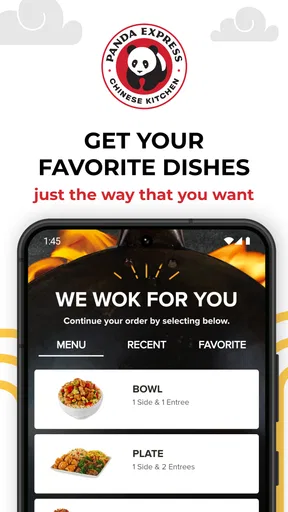
One of the things I love most is how seamless the ordering process is. You can browse the menu, customize your order, and even save your favorite meals for next time. The app also allows you to choose between pickup and delivery, which is perfect for those days when stepping outside feels like a chore. Plus, the estimated wait times are pretty accurate, which is a lifesaver when you're planning your meal breaks.
Rewards and Offers
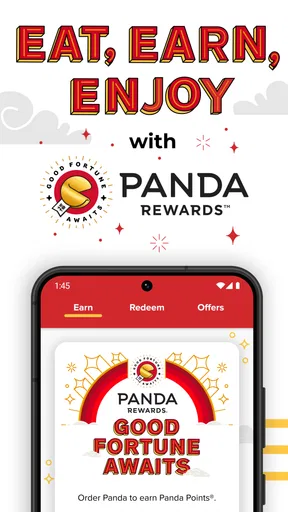
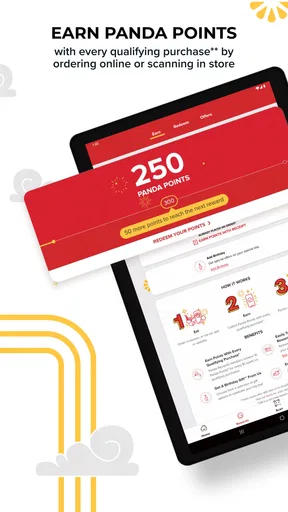
Now, who doesn’t love a good deal? The app has a rewards system where you can earn points with each purchase. Once you’ve racked up enough points, you can redeem them for free entrees or sides. It’s like a little thank-you for being a loyal customer. They also throw in exclusive offers and promotions, which is always a pleasant surprise.
Customization and Features
If you’re someone who likes to tweak your order, you’ll appreciate the customization options. Whether you’re adding extra veggies or opting for a double portion of orange chicken, the app makes it simple to adjust your meal to your liking. Plus, nutritional information is readily available for those keeping an eye on their diet.
Final Thoughts
Overall, the Panda Express app is a fantastic tool for anyone who loves their food fast, fresh, and flavorful. It’s intuitive, packed with features, and just makes the whole experience of ordering takeout that much easier. So, if you haven’t downloaded it yet, what are you waiting for? Give it a try and satisfy that Chinese food craving with just a few taps!
Pros
- User-friendly interface for easy navigation.
- Fast delivery options to your location.
- Includes nutritional information for meals.
- Customizable orders for dietary preferences.
- Rewards program for loyal customers.
Cons
- Limited vegetarian and vegan options.
- App crashes occasionally on older devices.
- Requires internet for full functionality.
- No option to schedule future orders.
- Limited payment methods available.
FAQs for Panda Express
What features does the Panda Express app offer?
The Panda Express app provides a user-friendly interface for ordering your favorite meals directly from your phone. Key features include customizable orders, exclusive offers, a rewards program for frequent diners, and a location finder to help you discover the nearest restaurant. It also allows you to save your favorite orders for quick access.
Is the Panda Express app free to download and use?
Yes, the Panda Express app is completely free to download and use. However, while the app itself doesn’t cost anything, you will be charged for any food orders you place through it. Additionally, the app frequently offers exclusive deals and discounts for its users, adding more value.
Can I track my order through the Panda Express app?
Yes, the Panda Express app allows you to track your order in real-time. Once your order is placed, you'll receive updates on its status, from preparation to delivery or pickup. This feature ensures that you are informed every step of the way, providing a seamless dining experience.
How does the Panda Express rewards program work?
The Panda Express app includes a rewards program that allows you to earn points with every order. These points can be redeemed for discounts or free menu items. Simply create an account, and every purchase you make via the app contributes to your points balance, making it rewarding to eat your favorite meals.
Are there any privacy concerns with using the Panda Express app?
The Panda Express app is designed with user privacy in mind. It requires basic personal information to create an account and process orders, such as your name, email, and payment details. The app employs encryption and other security measures to protect your data, ensuring a safe and secure user experience.


